
With the wide array of television content available today, it can be overwhelming to find a cost-effective and comprehensive viewing platform. Enter Freeview, a revolutionary service transforming the way Aussies enjoy their favourite TV shows, movies, and more. Whether you’re a seasoned techie or new to the digital television space, setting up Freeview is straightforward, ensuring you’ll never miss out on the vast entertainment landscape. In this article, we delve into the steps and tips for getting started with Freeview on your TV.
Understanding Freeview
Before we get into the setup, let’s unpack what Freeview is. Freeview is a not-for-profit organisation providing Australians with access to free-to-air digital television channels. The platform offers a variety of channels and services without a subscription, perfect for budget-conscious viewers interested in quality programmes without the extra cost.
What You’ll Need
To access Freeview, you’ll need a compatible TV or set-top box, a good quality antenna, and ideally, a reliable internet connection should you wish to utilise the catch-up and additional streaming services offered. Most modern TVs come with a built-in Freeview tuner, but if you’ve got an older model, a set-top box will become necessary.
Step 1: Check Your TV’s Compatibility
Start by checking whether your TV is compatible with the Freeview service. If it’s a newer model, chances are it is. Look for the Freeview logo or check the manual. If you’re unsure, visit the Freeview website for more information on supported devices.
Step 2: Connect Your Antenna
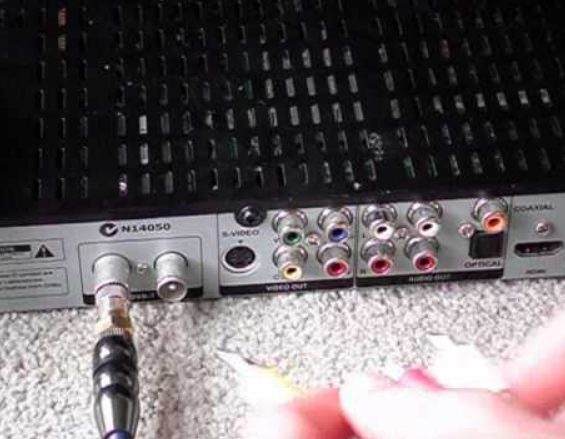
Good reception is crucial for a clear viewing experience. Connect your antenna to your TV or set-top box, ensuring it’s positioned for optimal reception. In some cases, you may require a signal booster or a professional to install an outdoor antenna, especially if you reside in areas with weaker signals.
Step 3: Tune Your TV
After connecting your antenna, it’s time to tune your TV to find all available Freeview channels. Navigate to the setup or installation menu on your TV, select ‘auto-tune’ or ‘channel scan’, and let your TV do the rest. This process could take a few minutes, so be patient.
Navigating Freeview
Once the setup is complete, it’s time to explore what’s on offer. Freeview presents a user-friendly electronic programme guide (EPG) that lists all the channels and schedules at your fingertips. Wondering what’s on tv tonight? Just fire up the guide and plan your evening’s entertainment with ease.
Using FreeviewPlus
For those who seek even more control, FreeviewPlus offers on-demand content from the free-to-air networks, all in one place. With a connected set-top box or compatible TV and internet connection, you can catch up on missed programmes or discover new ones at your leisure.
Maximising Your Freeview Experience
With Freeview, you’re not just confined to watching TV the traditional way. Many Freeview-enabled devices allow you to pause, rewind, and record live TV, ensuring you never miss a moment of your preferred content. Additionally, with the Freeview mobile app, you can start watching on your TV and continue on your smartphone or tablet.
Discovering New Shows and Channels
Freeview is an excellent platform for discovering new shows and channels that you might not otherwise come across. With over 30 digital channels, there is always something to watch for every taste and interest. From the latest dramas to educational programmes, Freeview has it all.
Advantages of Freeview
Apart from the zero subscription fee, Freeview’s simplicity is one of its most significant advantages. It doesn’t require signing in, no complex packages, and no fuss. Simply set it up, and you’re good to go—reflecting the quintessential Australian appreciation for simplicity and quality.
Customer Support and Assistance
Need help with your Freeview setup or navigating the platform? Customer support is readily available. By visiting this website, you can access troubleshooting guides, FAQs, and details for reaching out directly to the Freeview team for assistance.
Conclusion
Getting started with Freeview on your TV is straightforward and offers an abundance of benefits for viewers. From the wealth of free-to-air channels to the convenience of FreeviewPlus and easy access to program guides, it’s an accessible option for everyone looking to enhance their TV viewing experience. To get started on your Freeview journey, visit the Freeview website today and immerse yourself in the vast expanse of digital television at no cost.
By following this comprehensive guide, you’ll be ready to dive into the world of Freeview and explore its extensive selection of content. Make sure to stay updated with what’s on tv tonight, so you never miss a beat of your favourite programmes. Happy viewing!


